Online tax processing
platform in the United States
that provides personal and business tax filing services.
01. Overview
This case study was a brand new challenge for me
– Online tax processing platform in the United States.
It details how I juggled multiple projects in a new industry,
developed tools and processes,
and applied technical UI skills to tackle real-world challenges.
02. ROLE
Uncharted Territory
After spending years in the banking sector, I felt it
was time to shake things up. This is my first venture
into this industry. This role wasn’t just about bringing
my existing skills to the table; it was about diving
headfirst into a new domain and making a meaningful
impact in a short period.
Outcomes
- Leasing Data Project: Developed a business case that laid the groundwork for a potentially game-changing feature in commercial real estate management.
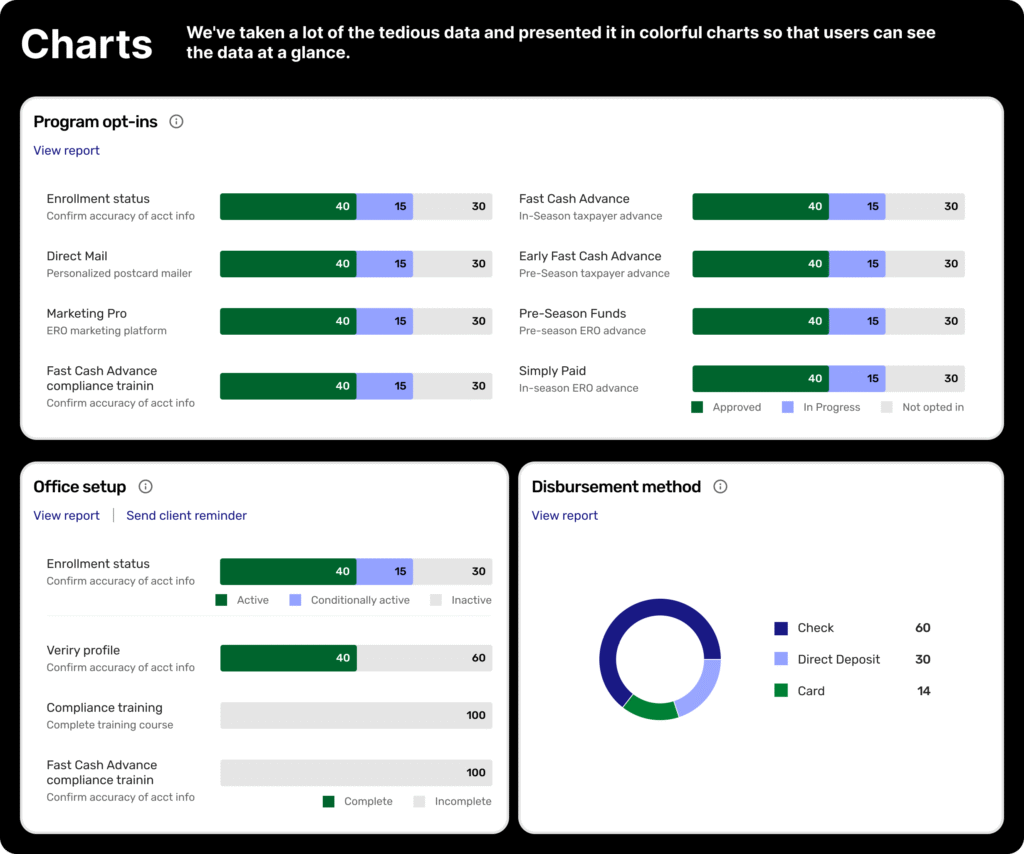
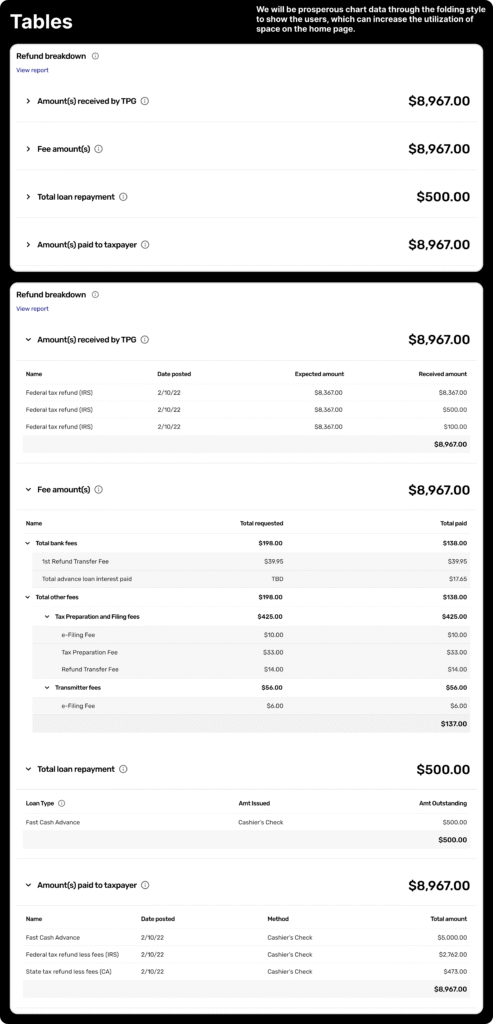
- Charts and Tables Enhancement: Designed improvements to data visualisation, making complex property data more accessible with added capabilities customers were asking for.
- Retail Experience: Proposed strategies to maintain momentum and ensure our retail experience remained a core offering.
- Process and Ways of Working: Delivered recommendations aimed at streamlining the design process, setting the stage for scalable growth.

03. Key Challenges
Chaos Meets Simplicity
Challenge
As the only UX designer for the entire product, I found myself simultaneously working on four projects:
- Leasing Data Project
- Charts and Table Enhancement
- Retail Experience Enhancements
- Process and Ways of Working Recommendation
Each project had its own challenges, stakeholders, and tight deadlines. The pressure was on to deliver top-notch work across the board while getting up to speed with the ins and outs of the commercial real estate industry.
Solution
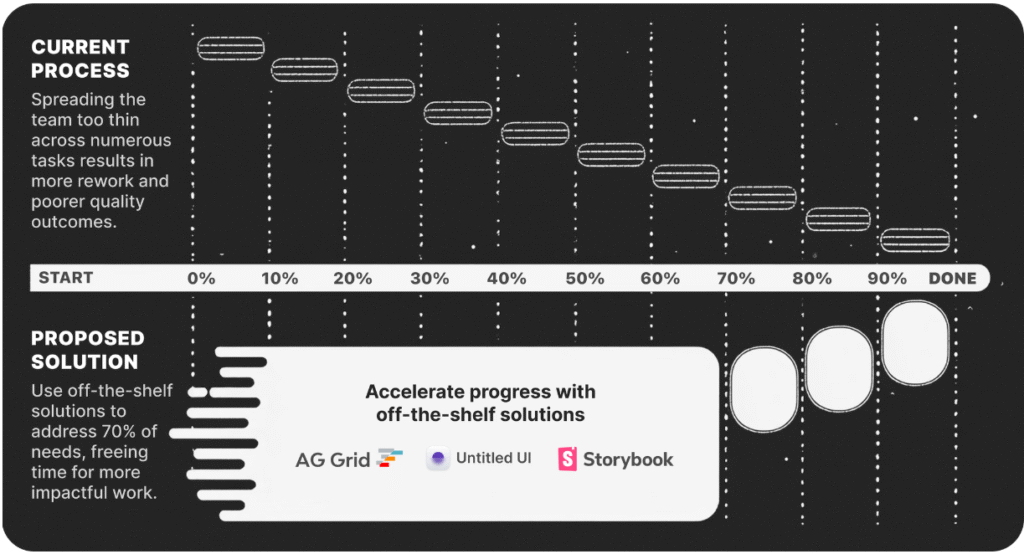
Realising I needed a game plan to stay sane and productive, I turned to the 70-20-10 Rule to prioritise my efforts:
- 70% on the highest priority (Leasing Data Project)
- 20% on the second priority (Charts and Table Enhancement)
- 10% split between the remaining two (Retail Experience and Process Improvement)
This wasn’t a rigid rule but gave me a solid framework to manage my time and energy effectively.

Weekly Breakdown
I organised my days around 90- to 120-minute ‘deep work’ sessions. While surprises did pop up, I made sure to reserve at least two blocks for high-priority tasks. The rest of the day was more flexible, adapting to what each project threw at me.
Monday-Thursday
- 4-6 hours: Deep work on high-priority tasks
- 2 hours: Work on second priority
- 1 hour: Tertiary tasks
Friday
- Morning: Retail Experience and Process Improvement
- Afternoon: Plan for the next week and tie up loose ends
Dealing with Reality
No week ever went exactly as planned. Here’s how I handled the curveballs:
- Urgent Requests: I built in a buffer during afternoon sessions for any urgent issues. If something couldn’t wait, it got slotted in here.
- Shifting Priorities: If a project needed more attention, I’d adjust my 70-20-10 split and keep stakeholders in the loop.
- Energy Levels: I’d tackle high-energy tasks (like creative design work) when I was at my peak and saved less demanding tasks (like documentation) for when I needed a breather.
05. UX DESIGN
Just Speed
Solving core problems goes beyond design—it
starts with effective resource allocation. With a
fresh perspective, I identified key process
improvements to accelerate the work.
UX Strategy
Design Foundation
The Power of Boring
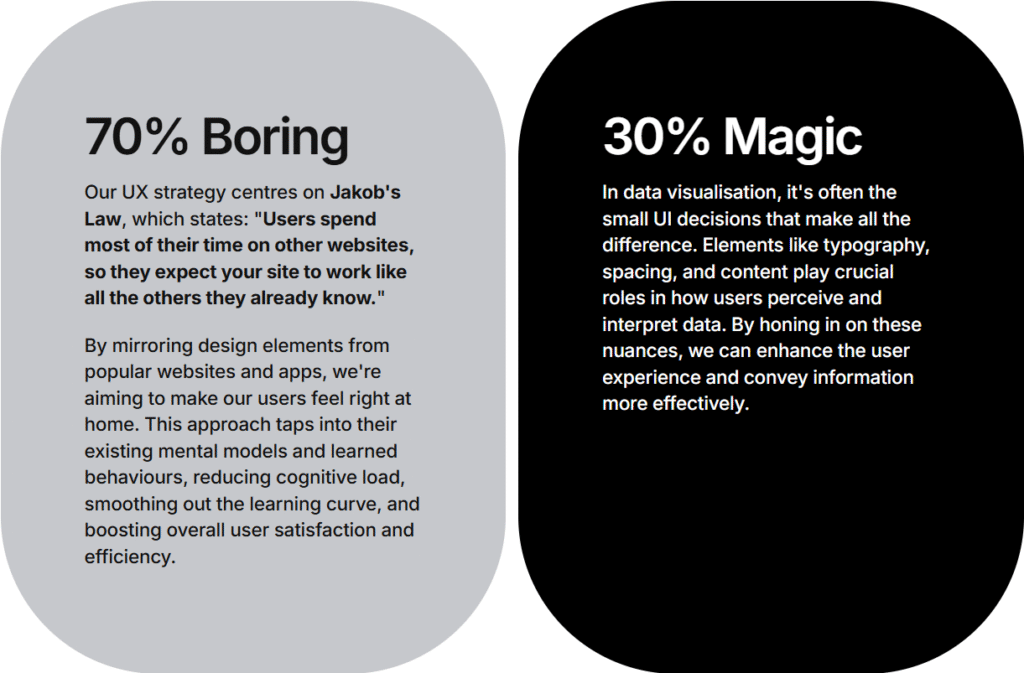
With no design resources and no room for deep-dive user research, we anchored our UX strategy in Jakob’s Law: users spend most of their time on other sites, so they expect ours to feel familiar.
Inspired by Turbotax, which is a well-known online tax processing platform in the United States that provides personal and business tax filing services. I designed an experience with zero learning curve. This approach aims to minimise onboarding time and streamline future development by leveraging patterns users already know by heart.
UX model (Intuit Turbotax)

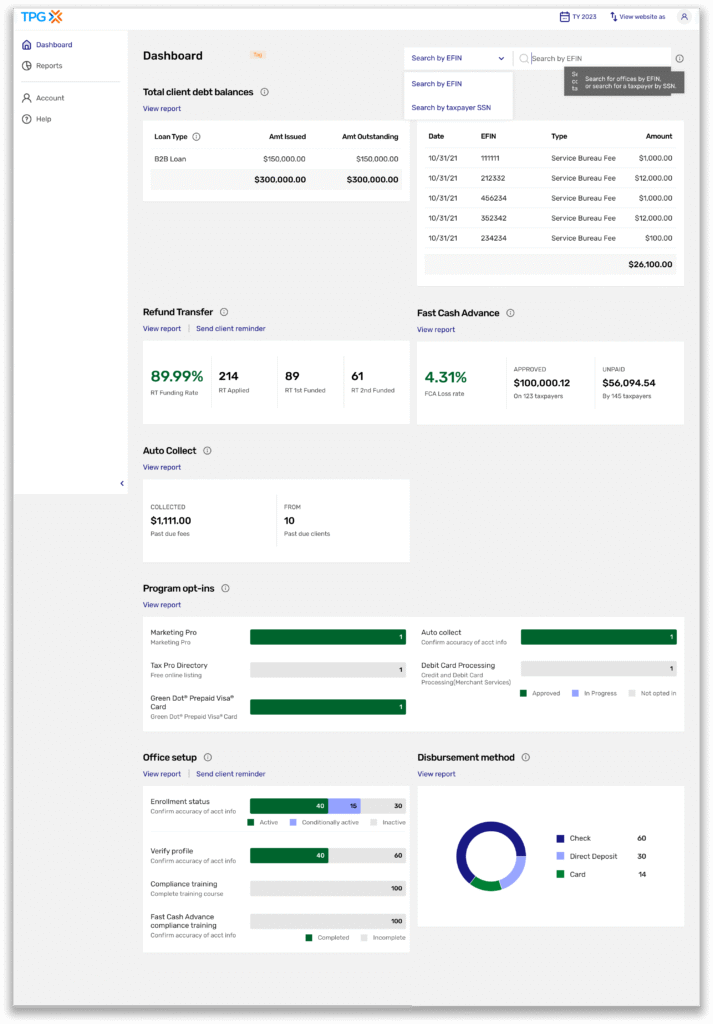
The design

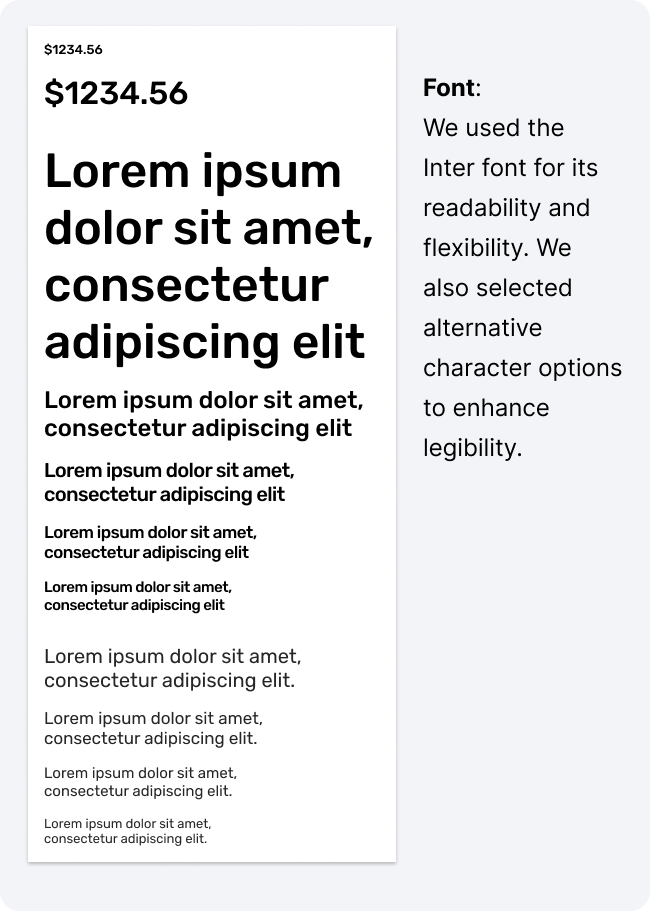
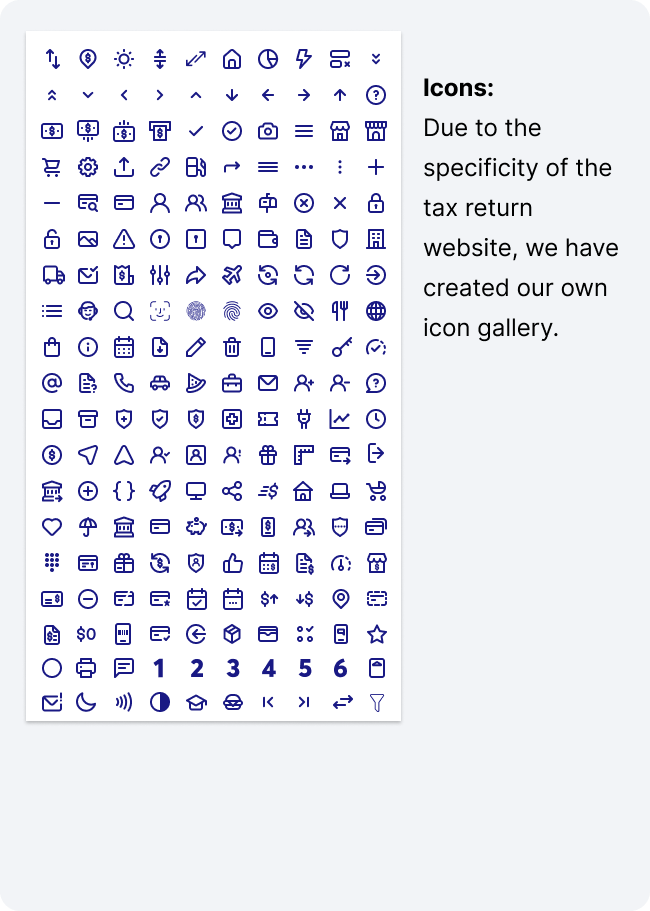
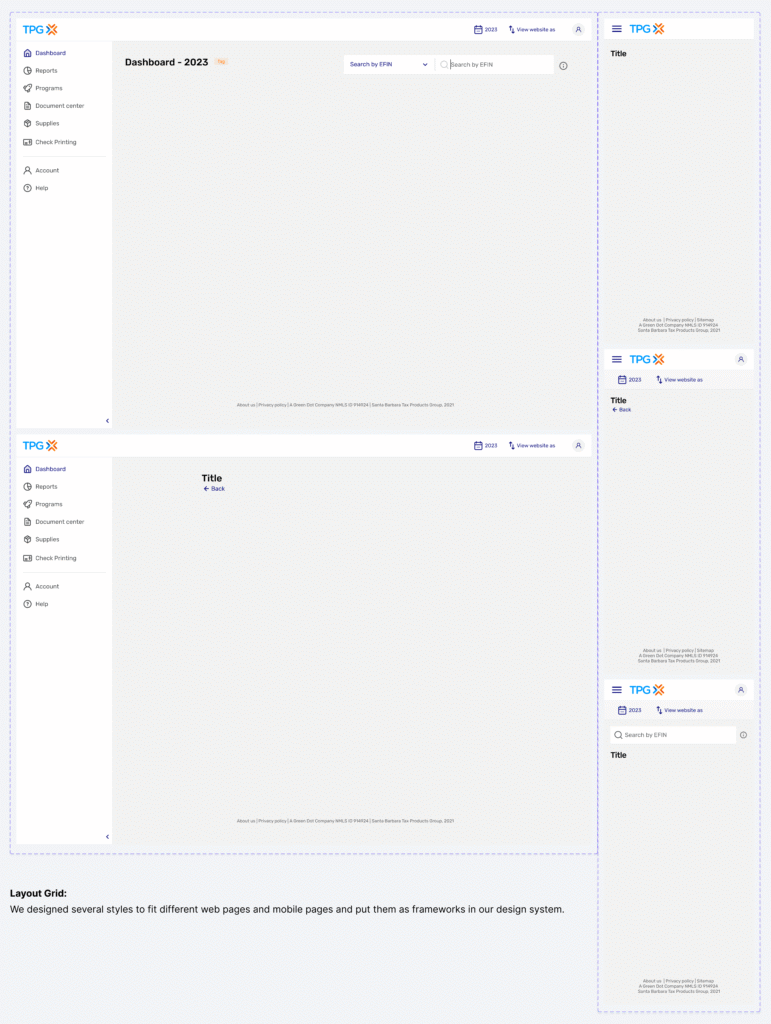
The Magic 30%
With the UI fundamentals in place, let’s see the magic unfold as they transform property data into something far more usable.